Do you wish to convert Names.nsf files to CSV files but do not know how to do it? Then read this blog in which I have explained manual and automated methods to Export Names.nsf to CSV files format.
NSF means Notes Storage Facility and these files are used to store data such as email messages, contacts, chat messages, calendars, appointments, etc. Initially, NSF files are supported by the HCL Notes email client and later by IBM Notes used to read email messages when the client is offline.
Types of NSF file
- Mailbox NSF Files. Furthermore, these NSF files are used to store email messages, calendars, and tasks.
- Names NSF Files. Additionally, these NSF files are used to store contacts and other information.
- There are other NSF files used to store other information such as Bookmarks, Internet, etc.
Why Export Names.nsf to CSV files?
- Sometimes, the user doesn’t have the HCL or IBM Notes software installed on their system; therefore, they need to export Names.nsf to CSV.
- Sometimes, organizations migrate from the Lotus Notes email client to other email platforms; therefore, they need to convert NSF files to CSV files.
- Security features of Lotus Notes software are less and the Operational Cost of Lotus Notes software is high.
Methods to Export Names.nsf to CSV
- Manual Method
- Automated Method
Manual Method
IBM Notes software has a built-in feature to export Names.NSF files i.e. contact file to CSV file. Alternatively, you can do it in the IBM Notes software.
- Download and install IBM Notes software in your system.
- Open the NSF file in the software.
- Click on the File menu and then go to the Export Contact option.
- Browse the location where you want to save your CSV file.
- Give a Name to the file.
Choose Comma Separated Value(.csv) Save as type.
Automated Method
In the automated Method, In this method, we use the eSoftTools NSF Converter software. With this tool, you can convert NSF contacts to vCard files. You can convert NSF files to other file formats such as PST, MSG, MBOX, EML, EMLX, HTML, etc. First, you can load single and multiple NSF files in the software at the same time. After that, the preview panel, you can see the files and folders of the NSF file. You can select the files and folders of the NSF file that you want to convert into another format. You can load the NSF file of any size, and you have the option of splitting the NSF file into a smaller file of another format. In the demo version, you can select the 25 files from each folder to export Lotus Notes database to Excel CSV and another format.
- Download and install the eSoftTools NSF converter software into your system.
- Start the software and click the Select NSF button to open the NSF file in the software.
- Now you can preview the files and folders of the NSF file and select contacts from the list of files.
- Now you see various file conversion formats and select the vCard(VCF) file option from the list of options.
- Browse the location where you want to save the vCard file in your system.
- Now hit the Convert button and start the conversion process of contacts from the NSF file to vCard.
Steps to Know “How to Convert NSF to PST File”?
First Step: Open the Software

Second Step: Click on the “Select NSF” button, and the screen below appears.
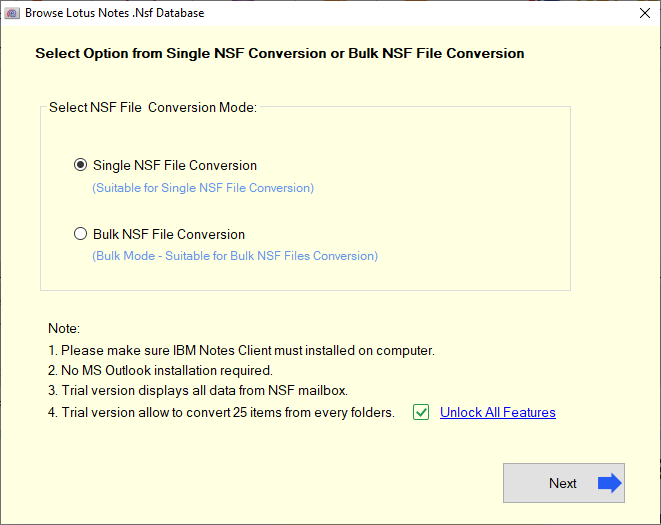
At this point, two types of Lotus Notes File Selection Option-
Choose Mode 1. Single NSF File conversion

Selection Mode 2. Bulk NSF File Conversion

After selecting the NSF file for conversion, click the “Start Scanning” button and then, the software helps to lists entire list of NSF mailboxes.

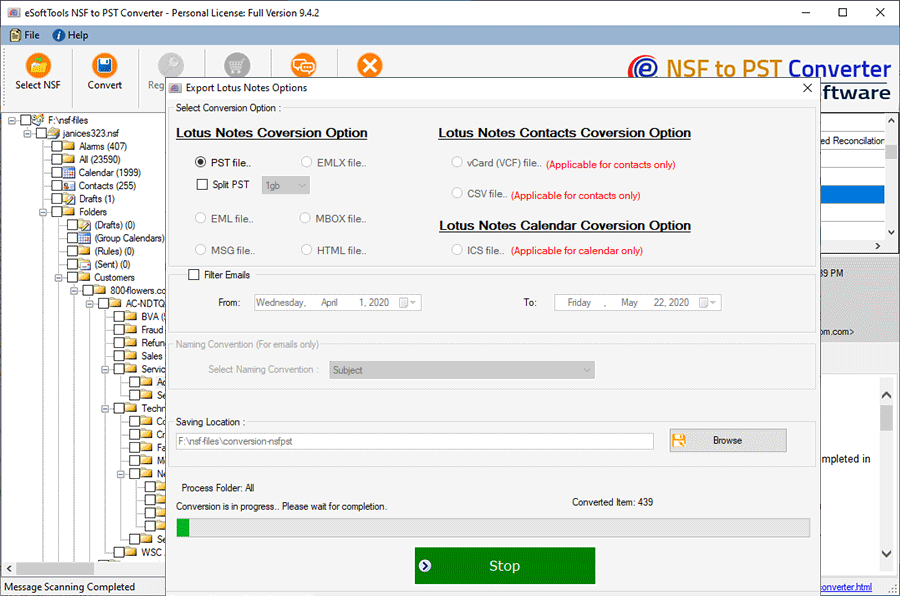
At this stage, now see the conversion process. Then click on the “Convert” button to Export Lotus Notes NSF file

There are two conversion options: 1) Email Filter 2) Naming Convention
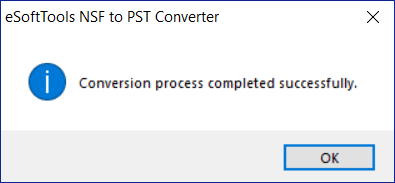
Conversion Process Completed
FAQ of Lotus Notes Converter Software
Ans. eSoftTools NSF Converter is a perfect tool that is made with unlimited features to convert NSF files to PST files very easily.
Ans. Yes, through this software, all consumers can easily convert NSF file data, including contacts, calendars, journals, tasks, and attachments, etc.
Ans. Furthermore, there are multiple formats to convert NSF files to PST, MBOX, HTML, MSG, EML, EMLX, vCard, CSV, and ICS formats easily.
Ans. Yes, there are free DEMO facility that can easily export and save 25 items from every folder of NSF to PST.
Ans. Software supported all Windows editions: Windows 11, Windows 10, Windows 8.1, Windows 7, Windows XP, Windows Vista, and other editions.
Conclusion
Now you know both manual and automated methods of conversion but in the manual method, there are limitations. The manual method is time-consuming and there is a chance of data loss in the manual method. The manual method is suitable for a smaller number of files and if you want to convert a multiple number of files you have to use an automated method(eSoftTools NSF converter Software).

No Comments yet!