Many users want to export Lotus Notes emails from NSF to EMLX, but it’s not possible to switch directly from Lotus Notes to Apple Mail. Therefore, here we’ll discuss techniques for exporting Lotus Notes emails from NSF files to EMLX files.
Overview
HCL Notes, formerly known as Lotus Notes or IBM Notes, is an application used by most users to securely send and receive email. After each email is sent or received, Lotus Notes saves a copy to the user’s local drive.
NSF files help to save all the mail folders of the users and different types of data of the users, like contacts, calendar, tasks, etc.
When users switch from Windows to Mac, they often prefer to use the Apple Mail email client. Consequently, many users today are looking to switch from Lotus Notes to Apple Mail. However, users often face a number of issues when switching from Lotus Notes to Apple Mail. This is because Lotus Notes’ NSF files are not supported for data import by Apple Mail.
Therefore, users need to convert NSF files to EMLX files of Apple Mail to switch from Lotus Notes to Apple Mail.
Also Read:- How to Export Lotus Notes Email Folders in Outlook?
Smart Technique to Export Lotus Notes Emails from NSF to EMLX
Users can easily export NSF files to EMLX files using eSoftTools NSF to EML Converter Software. This powerful tool allows users to easily export Lotus Notes emails to individual EMLX files. It also offers features like mail filters and renaming to make the export process even easier. Users can use this tool to export emails from NSF files of any version of Lotus Notes.
Key Features
- The easiest solution is to export Lotus Notes emails from NSF to EMLX.
- This software supports exporting emails from Lotus Notes NSF to EMLX/EML files.
- This tool allows exporting emails from one or more NSF files in a single process.
- It provides a preview of emails and other items from all NSF files before conversion.
- The software provides the facility to export emails from selected folders to NSF files.
- Export Lotus Notes emails to multiple file formats with this software.
How to Export Lotus Notes Emails from NSF to EMLX?
- Download/Install and launch eSoftTools NSF to EML Converter Software on a Windows machine.

- Press the ‘Select NSF’ button from the menu bar.
- Now select “Single File Conversion” or “Bulk File Conversion” mode and click Next.
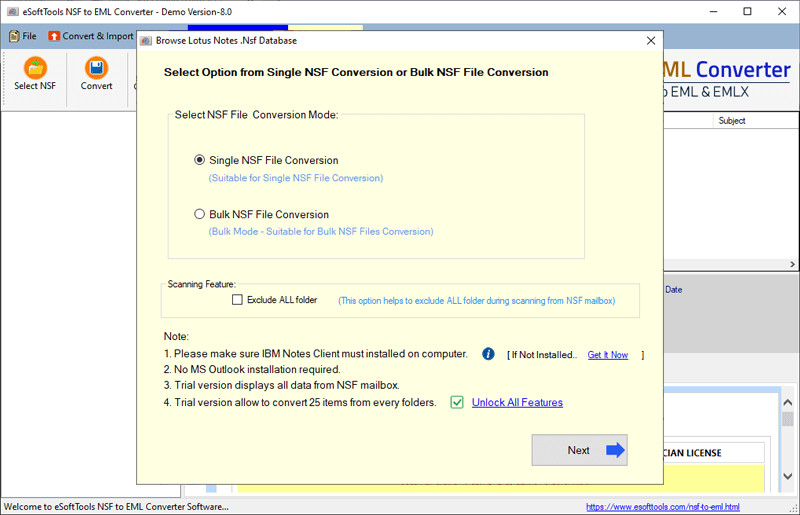
- Select the NSF files from the local drive into the software and press the Start Scanning button.
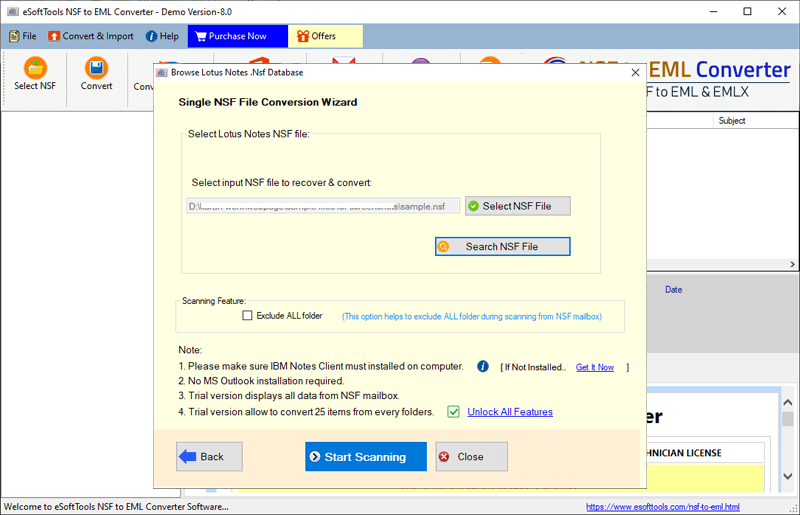
- Scan NSF files and extract all their internal folders and items.

- Now get a preview of all emails from NSF files and choose the required folder.
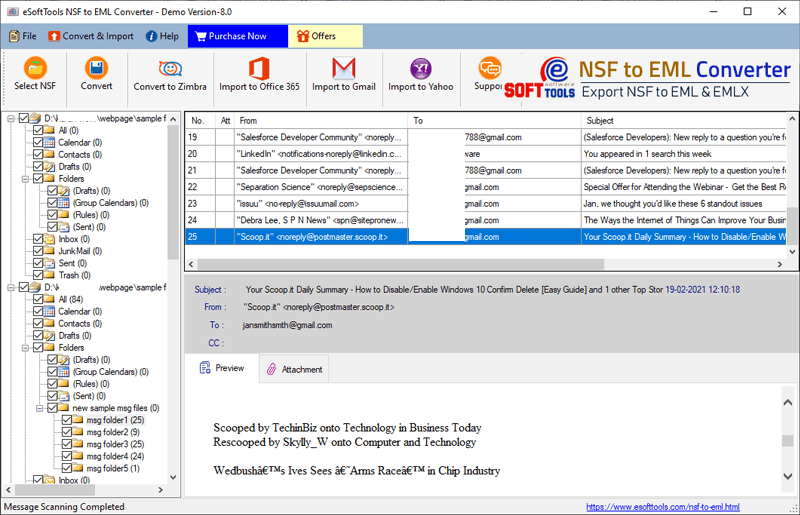
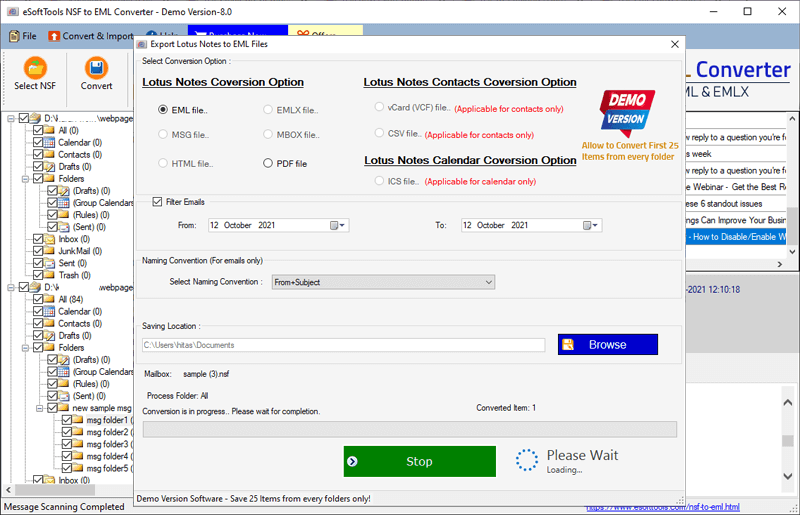
- Click on the Convert button from the top menubar, and a new screen will open with the software.
- Select the “EMLX file…” radio button from the newly opened screen.
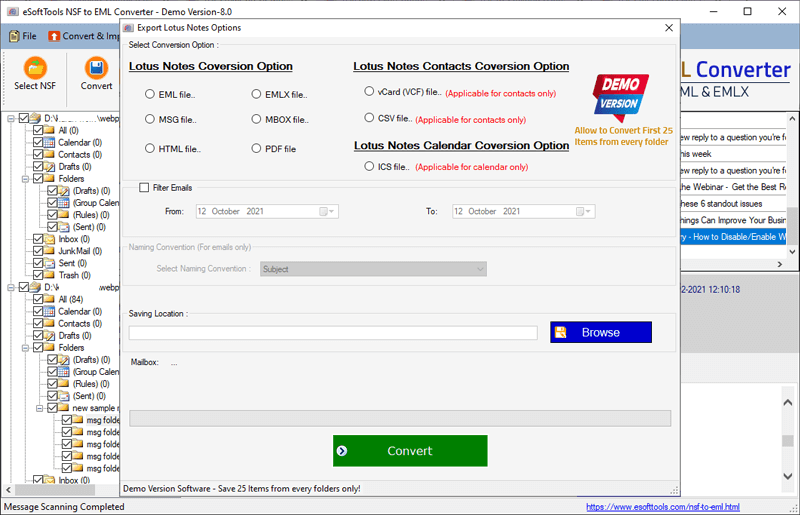
- Use the Filter Emails option to select emails of desired dates from your Lotus Notes NSF files.
- Select the Naming Method option to save the resultant EMLX files in Subject+Sender+Date format.
- Finally, choose a location to save the output files and click Convert to start the export process.
Conclusion
Users who want to export Lotus Notes emails from NSF to EMLX files will need to use automated software. For them, eSoftTools NSF to EML Converter Software is the best option. Users can easily convert NSF emails to EMLX files instantly by trying this software. Users can also try a free demo of this software, where they can export and save up to 25 items from all their folders for free.

No Comments yet!